EyalSec in one picture
This tour shows EyalSec in pictures, one idea per page, with a sentence or two under each. Start here, follow the pages in order, and open the linked guide pages when you want the detail.
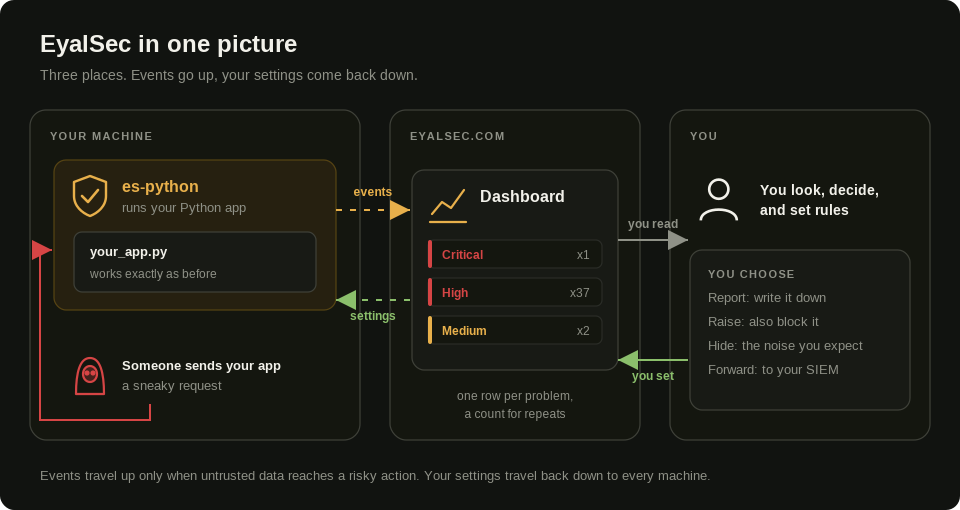
Three places
Your app runs on your machine, under es-python. When untrusted data reaches a risky action, an event goes up to eyalsec.com. You read it on the dashboard and decide what happens next time, and your settings go back down to every machine.
That is the whole loop. The rest of the tour zooms into each arrow.
Where things live on the dashboard
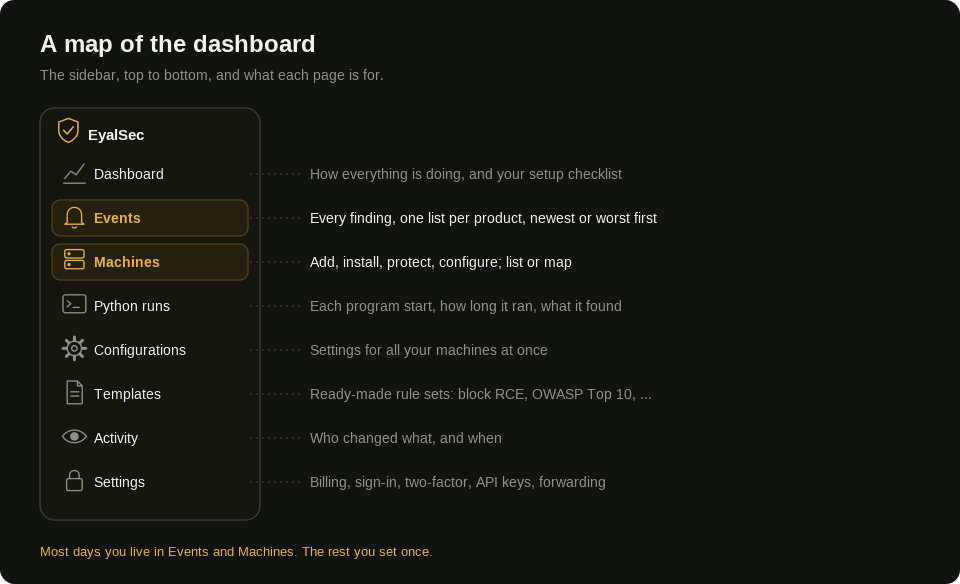
Most days you only need two pages: Events to see what happened, and Machines to add and configure the hosts. Each page has its own guide page: Dashboard, Events, Machines, Python runs, Templates, Activity and Billing.
Next: Your first ten minutes.
 EyalSec