Your first ten minutes
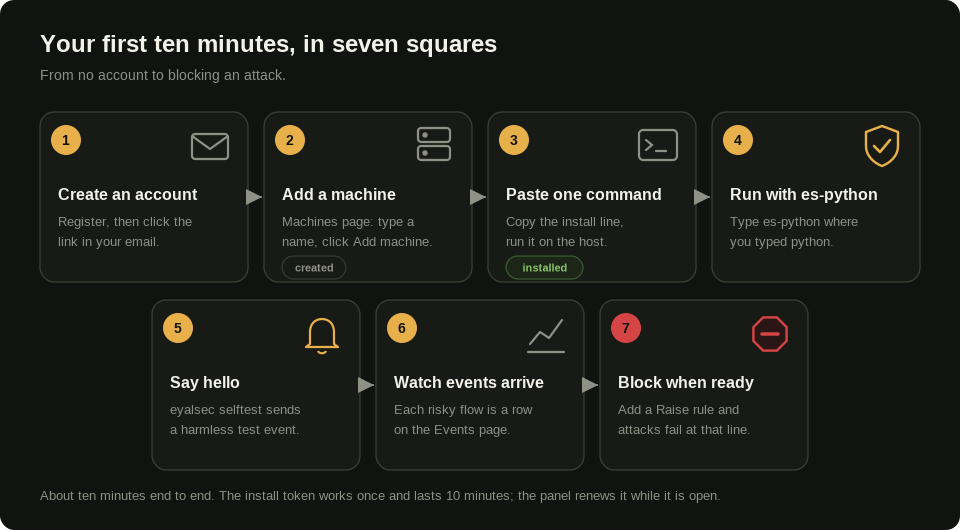
This page is the Quick start as a picture strip: seven squares from no account to blocking an attack. Each square is one short step, and most take less than a minute.
The one command
Step 3 is the only one that happens on your machine. The Machines page gives you the command ready to paste; it looks like this:
. <(printf 'secret=YOUR-ONE-TIME-TOKEN' | curl -sSL -d @- https://eyalsec.com/install.sh)
Then run your program the way you always do, with one word changed:
es-python app.py
Watch the status pill
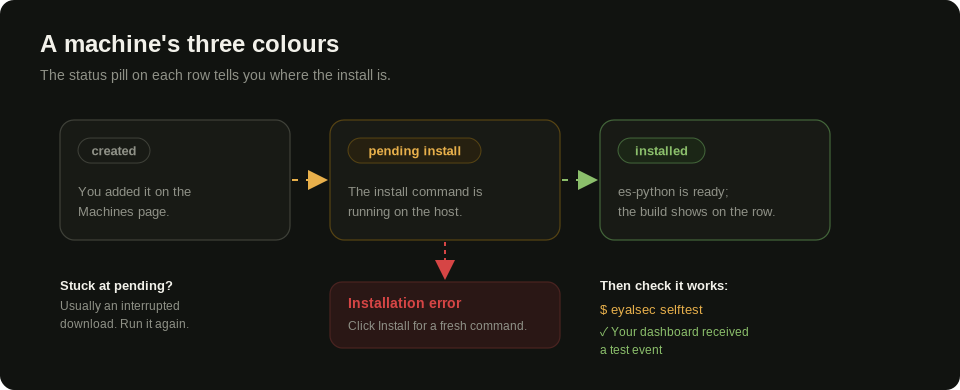
Every machine row has a coloured pill. Grey means added, amber means installing, green means ready. If it goes red, click Install for a fresh command and run it again. More on Install es-python and Machines.
Next: The life of an attack.
 EyalSec