Settings and rules
This page shows the four things a rule can do, and how settings from the account, the Machines map and a single machine stack up into the settings that machine actually uses.
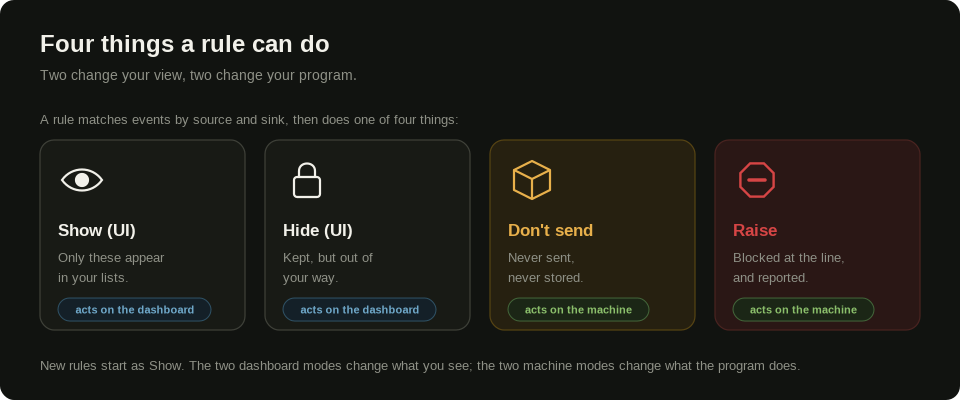
Four modes
Show and Hide only change your view; nothing on the machine changes. Don't send keeps an event from ever leaving the machine. Raise blocks the action itself. The details are on Rules.
Which setting wins
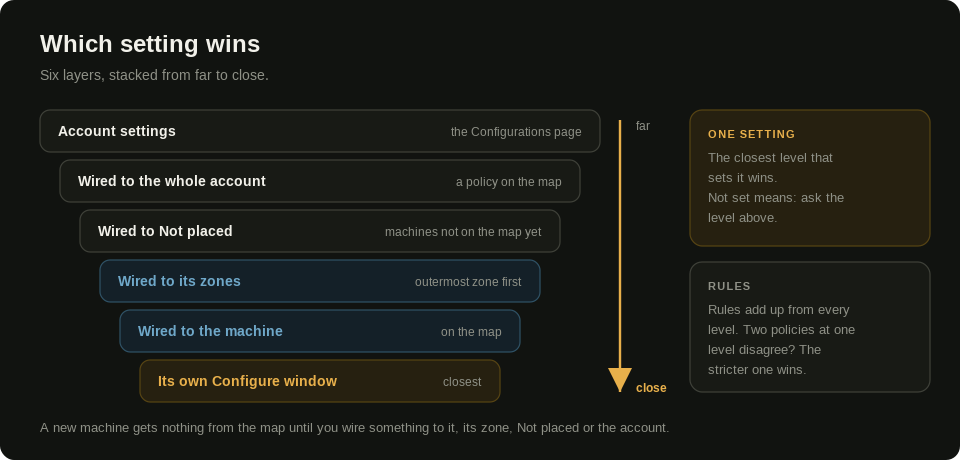
Think of it as a stack of see-through sheets. Each layer can set a value or leave it blank; for each setting, the closest layer that sets it wins, and rules from every layer add up. The Machines map shows the stack for any machine, and the Configure window shows what it inherited.
Want a head start? Ready-made templates set a whole layer in one click.
Next: Billing in pictures.
 EyalSec