Reading an event
This page takes one event apart, shows why a busy program still gives you a short list, and ends with the four places every event can go once you have read it.
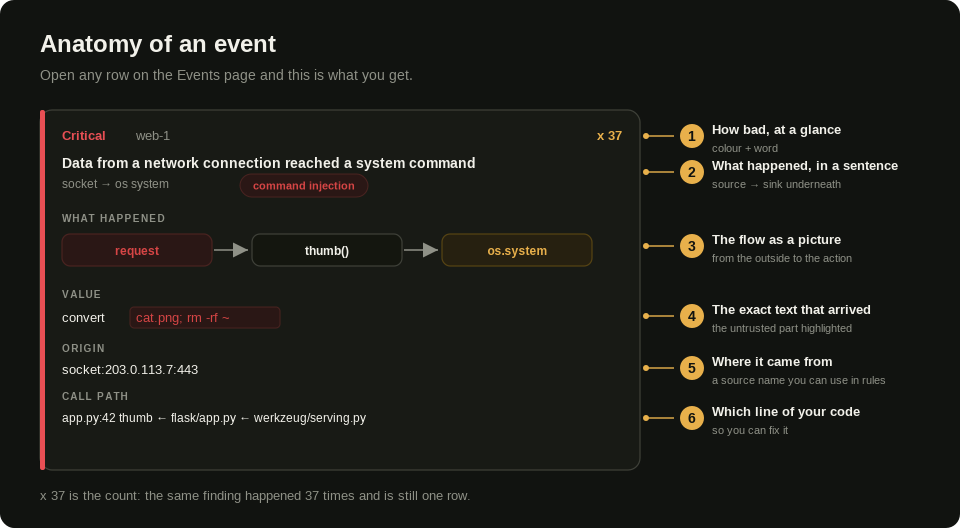
Six things in every event
Open any row on the Events page and read it top to bottom: how bad it is, what happened in one sentence, the flow as a picture, the exact text that arrived, where it came from and which line of your code used it. Each part is covered on Event detail.
Repeats raise a count
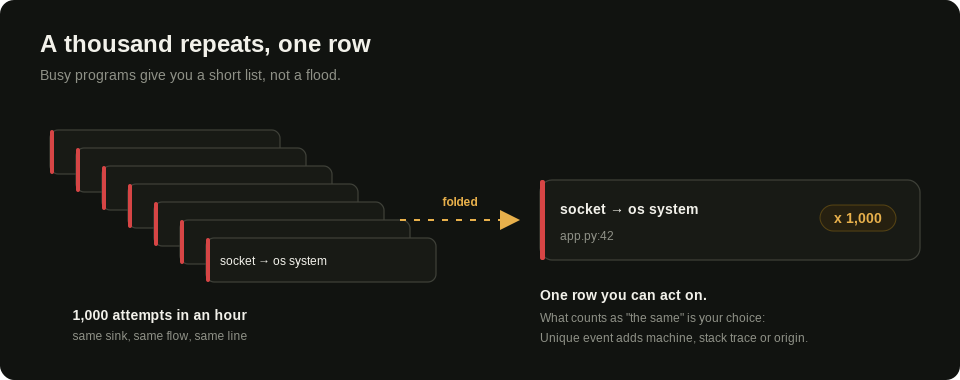
The thousandth attempt does not add a thousandth row. It turns x 999 into x 1,000. You decide what counts as the same event with Unique event.
From event to done
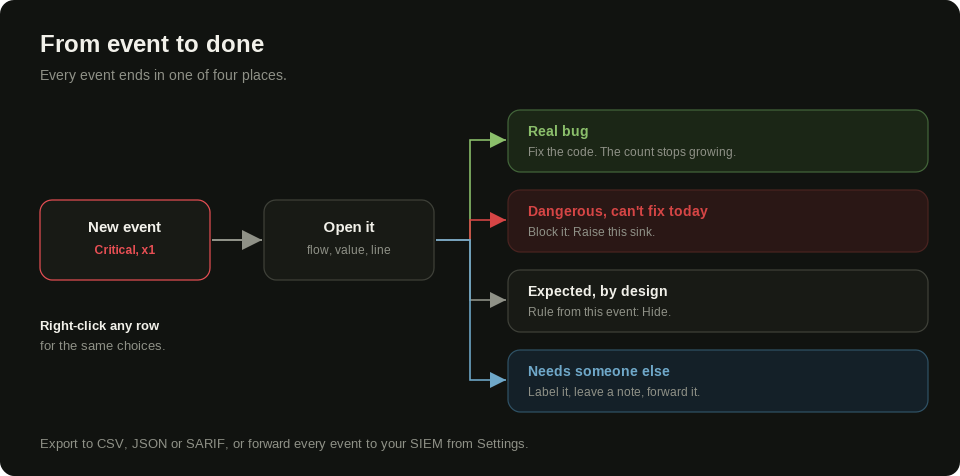
Each event ends in one of four places: fixed in your code, blocked with Raise, hidden because it is expected, or labelled and handed on. The row's menu offers all four; see Triage, Export and Event forwarding.
Next: Settings and rules.
 EyalSec